
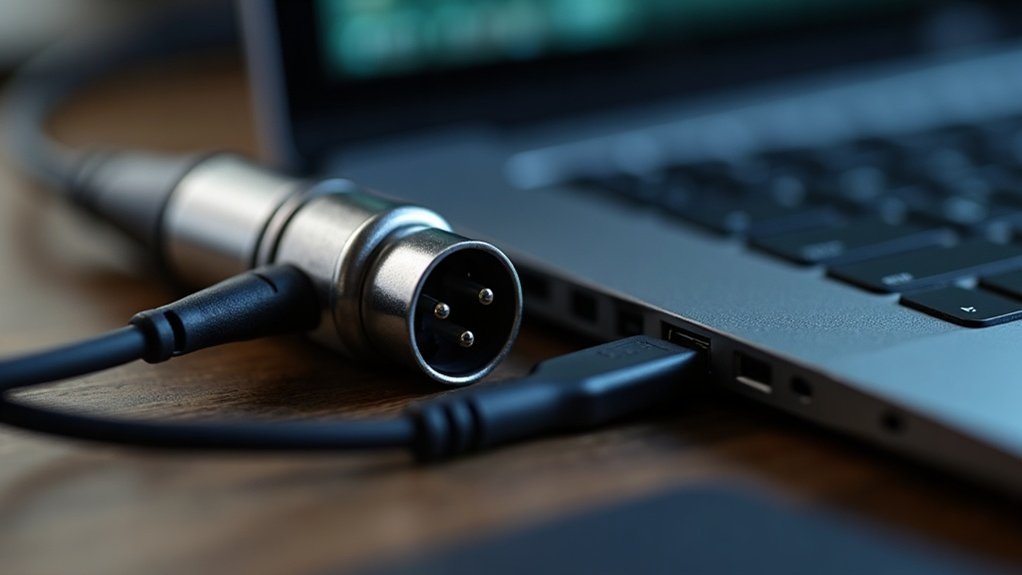
You can’t plug an XLR microphone directly into your computer’s built-in audio input. Your computer lacks the preamp amplification and analog-to-digital conversion that XLR signals require. So, can you plug an XLR microphone into a computer? The answer is no—not without proper equipment. You’ll need an intermediary device—either an audio interface, USB mixer, or XLR-to-USB adapter—to properly convert the analog XLR signal into digital data your computer can process.
Understanding whether you can plug an XLR microphone into a computer is crucial for podcasters, streamers, and musicians looking to maximize affordable microphone setups. If you’re wondering how to connect an XLR microphone to your computer for recording or streaming, these solutions bridge that gap effectively.
For creators and gamers seeking to plug an XLR microphone into a computer, an audio interface remains the gold standard. It provides superior preamp quality, multiple input options, and professional-grade analog-to-digital conversion—essential for anyone serious about podcast audio quality or gaming streams.
USB mixers offer a more compact middle ground, allowing you to plug your XLR microphone into a computer while managing multiple audio sources simultaneously. This setup works particularly well for streamers juggling game audio, voice chat, and microphone input.
XLR-to-USB adapters provide the most affordable entry point if you’re buying your first budget microphone. Each option offers distinct advantages depending on your specific setup requirements, audio quality standards, and whether you’re recording music, podcasting, or streaming gameplay.
Key Takeaways
- XLR microphones cannot be directly plugged into standard computer inputs due to incompatible connectors and lack of preamp amplification.
- USB audio interfaces convert analog XLR signals to digital data and provide essential preamp amplification for quality sound capture.
- XLR-to-USB adapters offer quick setup but compromise audio quality compared to dedicated audio interfaces or mixers.
- Audio interfaces enable latency-free monitoring and phantom power (+48V) required for condenser microphones during real-time recording.
- Professional audio capture requires proper signal conversion; using adapters without preamps results in degraded or unusable audio output.
Can You Plug an XLR Microphone Directly Into Your Computer?
Why can’t you just plug an XLR microphone directly into your computer’s audio jack? The answer lies in a fundamental compatibility issue. XLR compatibility requires specific signal processing that your computer’s built-in input lacks. Your XLR mic outputs analog audio, but computers need digital signals. You’re missing two critical stages: preamp amplification and analog-to-digital conversion.
When asking “Can you plug an XLR microphone directly into your computer?” the short answer is no—not without additional equipment. Without proper conversion, you’ll get no usable audio or severely degraded audio quality. Standard 3-pin XLR cables alone won’t bridge this gap, no matter how well-constructed they are. A USB audio interface solves this problem by providing the necessary preamp amplification and digital conversion in one device. Many name brand interfaces like Focusrite or SSL come with free software packages that enhance your recording capabilities.
For creators, gamers, and musicians looking to plug an XLR microphone directly into a computer setup, the industry standard solution is routing your mic through an audio interface or USB mixer first. This hardware supplies the necessary preamp and conversion, ensuring your computer recognizes the signal and maintains professional audio quality standards. USB and XLR microphones each serve different purposes depending on your setup requirements.
Whether you’re streaming, podcasting, or recording music, this intermediate step is essential for getting professional results from your affordable microphone investment.
Three Ways to Connect Your XLR Mic to Your Computer
Now that you understand why direct connection won’t work, you’ve got three proven pathways to connect your XLR mic to your computer. Each USB connection option addresses XLR microphone compatibility differently:
- XLR-to-USB adapter: Minimal hardware, fastest deployment for connecting XLR mics to computers.
- USB audio interface: Professional-grade preamp, phantom power, gain control for serious recording.
- USB mixer: Multiple input routing, onboard blending capabilities for advanced setups.
You’ll select your device as the input source in system settings or recording software. Interfaces and mixers may require driver installation for full functionality. XLR microphones utilize three-pin connectors that standardize balanced audio transmission in professional recording environments.
Dynamic mics need no phantom power; condensers typically require 48V activation. Gain adjustment prevents clipping during setup. Most recommended audio interfaces provide the necessary power for both microphone types to operate at their optimal sound quality. Balanced XLR connections reduce unwanted frequencies that can degrade your recording clarity.
Each method for connecting your XLR microphone to your computer offers distinct advantages depending on your streaming, podcasting, gaming, or recording needs.
XLR-to-USB adapters work best for single-mic setups, while audio interfaces and mixers provide the professional routing and control serious creators demand.
Whether you’re building an affordable podcast rig or upgrading your gaming audio, understanding how to connect your XLR mic to your computer properly ensures clean signal flow and professional results from day one.
Why You Need an Audio Interface (or Mixer, or Adapter)
Your computer can’t process XLR signals directly because it lacks both the physical connector and the conversion hardware that professional audio demands. Whether you’re a podcaster, streamer, gamer, or recording professional, you need an audio interface, mixer, or adapter to bridge this gap. You’ll need dedicated signal processing to elevate your microphone’s weak output through preamplification. An audio interface converts analog signals into digital data your system recognizes, dramatically improving audio quality over integrated solutions. Dedicated audio interfaces solve these issues, providing higher quality than standard computer sound cards. Audio interfaces also eliminate latency-free monitoring, allowing you to hear real-time feedback without frustrating delays during your stream or recording.
Why you need an audio interface specifically depends on your setup complexity. Mixers accomplish similar functions when routing multiple sources, making them ideal for creators managing several inputs simultaneously. Adapters handle only physical connections—they won’t provide gain or conversion, so they’re insufficient as standalone solutions for most recording scenarios.
Consider phantom power requirements for condenser mics when evaluating audio interface, mixer, or adapter options. Choose based on your needs: single-source recording favors interfaces; multi-source setups benefit from mixers. For affordable podcasting and streaming setups, an audio interface offers the best balance of features and cost. Gaming streamers and music producers will appreciate how an audio interface or mixer elevates production quality beyond what adapters alone can deliver.
| Solution | Conversion | Preamp | Phantom Power |
|---|---|---|---|
| Interface | Yes | Yes | Yes |
| Mixer | Yes | Yes | Yes |
| Adapter | No | No | No |
How to Connect Your XLR Mic: Step-by-Step
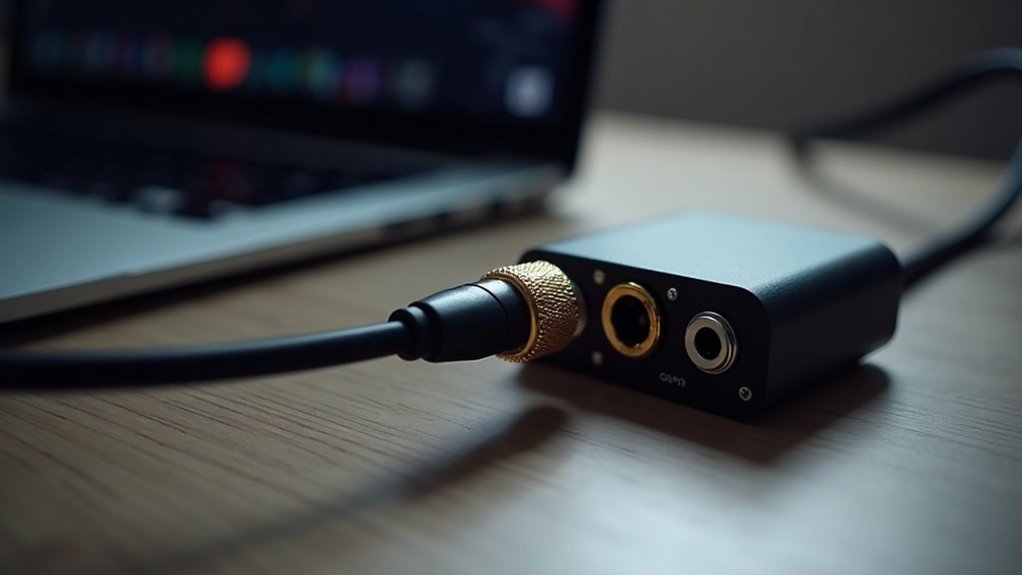
You’ll secure the female XLR connector to your microphone, then plug the male end into your interface’s XLR input. Connect via USB to your computer using a direct port for maximum reliability.
Next, install manufacturer drivers and designate your interface as the recording device in sound settings. Understanding the proper XLR microphone connection process is essential for creators, gamers, and musicians seeking professional results. Avoid using XLR to TRS cables, as they significantly reduce signal quality compared to proper XLR to XLR connections.
Install manufacturer drivers and designate your interface as the recording device for professional XLR microphone connection results.
Consider your microphone types—condenser models require +48V phantom power after all cabling’s secure, while dynamic mics don’t. A quality preamp in your audio interface ensures clean amplification of your microphone’s signal before it reaches your computer.
Finally, adjust gain carefully, monitoring signal levels to prevent clipping and guarantee professional-quality capture. Following these XLR mic connection best practices ensures your podcasting, streaming, gaming, or recording setup delivers optimal audio performance from day one.
Choosing Your XLR Setup: Interface, Mixer, or Adapter
Because XLR microphones transmit analog balanced signals that computers can’t process directly, you’ll need an intermediary device to convert that audio into digital form. When choosing your XLR setup—whether an interface, mixer, or adapter—three primary options exist, each offering distinct advantages tailored to different workflows.
| Setup Type | Best For | Key Feature | Drawback |
|---|---|---|---|
| Audio Interface | Solo creators, streaming | USB conversion, phantom power, direct monitoring | Single-mic limitation |
| Mixer | Multiple hosts, live sound | Channel routing, EQ, USB output | Higher cost, complexity |
| Adapter Cable | Budget constraints only | Minimal investment | Poor sound quality, unreliable |
For creators, gamers, and streamers building an XLR setup, interface-based solutions deliver superior sound quality and recording flexibility. A dedicated audio interface represents the gold standard for expandable, professional-grade workflows, particularly when you’re investing in quality microphone equipment. Quality preamps in audio interfaces significantly affect the clarity and usability of your recordings. Professional interfaces typically support 24-bit/192kHz high-resolution recording, ensuring detailed sound capture across diverse content creation scenarios. An audio interface’s role in a recording setup is essential for converting the XLR signal from your microphone into digital data that your computer can process and store.
Mixers excel for multiple-host scenarios and live sound applications, providing channel routing and EQ control that enhance your XLR setup’s versatility. However, this XLR setup type demands higher investment and steeper learning curves.
Adapters represent the budget option within XLR setups, though this choice carries significant compromises. Bypassing proper preamp conversion through adapter cables undermines signal integrity and audio reliability—a critical concern for podcasting, streaming, and recording work where sound quality directly impacts audience experience.
Your XLR setup selection should prioritize your specific use case: serious podcasters and musicians benefit most from dedicated interfaces, while content creators managing multiple microphones may justify mixer investments.


