
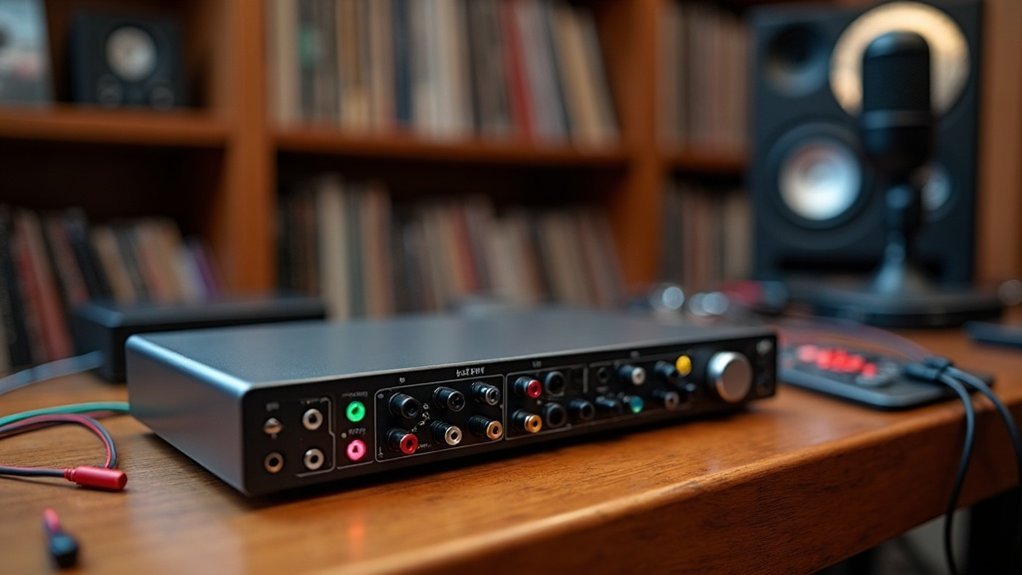
A USB audio interface connects your analog audio sources, like microphones and instruments, directly to your computer, converting sound waves into digital signals for high-quality recording and playback. This device features essential components such as preamps, ADCs, and DACs for superior audio processing. Compared to built-in sound cards, a USB audio interface offers lower latency, higher sound quality, and greater signal integrity, making it a crucial tool for creators, gamers, musicians, and professionals alike. Understanding the functionalities and components of a USB audio interface can significantly enhance your audio experience, so keep exploring to discover more about how to optimize your recording and streaming setup.
Key Takeaways
- A USB audio interface connects analog audio sources to computers, converting signals for digital processing and enhancing sound quality.
- It features high-quality A/D and D/A conversion, providing superior audio fidelity and lower latency compared to built-in sound cards.
- The interface includes multiple inputs, outputs, and MIDI integration, supporting complex recording setups and professional applications.
- It helps reduce background noise and offers dedicated drivers for reliable audio performance across various digital audio workstations (DAWs).
- Ideal for music production, podcasting, and live streaming, it ensures clear audio delivery and effective monitoring capabilities.
What Is a USB Audio Interface and How Does It Work
A USB audio interface is a crucial component in modern audio production, serving as an essential bridge between the analog and digital domains. This dedicated external sound card connects to your computer via USB and facilitates the conversion of analog signals from microphones and instruments into digital data for processing.
When exploring what a USB audio interface is and how it works, you’ll discover that it significantly enhances your audio production capabilities. The benefits of using a USB audio interface include not only improved sound quality but also reduced noise compared to integrated audio solutions. By utilizing analog-to-digital (ADC) and digital-to-analog (DAC) conversions, these interfaces ensure high fidelity in recordings and playback. Additionally, a USB audio interface offers superior sound quality that can elevate your recordings beyond standard integrated audio options.
Moreover, an audio interface can minimize latency issues, which is vital for real-time monitoring during recording sessions. Furthermore, a USB audio interface integrates seamlessly with your DAW, enabling you to employ advanced audio production techniques that make your projects sound professional and polished. Whether you’re a musician, gamer, or podcaster, understanding the role of a USB audio interface in audio production can elevate your work to new heights.
Key Components of a USB Audio Interface Explained
Understanding how a USB audio interface works naturally leads to a closer look at its key components. These key components of a USB audio interface define its features and types, ensuring you achieve the best sound quality for your projects.
| Component | Description |
|---|---|
| Analog Front-End | Inputs, preamps, and gain controls for signals |
| Conversion Stage | ADCs and DACs for digital audio transformation |
| Internal Routing | DSPs and monitoring controls for real-time adjustments |
These essential elements work together to optimize your recording and playback experience with a USB audio interface, providing a seamless connection between your instruments and your digital audio workstation. Understanding these components can help creators, gamers, and musicians make informed decisions when selecting the right USB audio interface for their needs. Additionally, the USB audio interface allows for high-quality recordings that elevate your projects to a professional standard.
The Signal Flow Process in USB Audio Interfaces
In the signal flow process of USB audio interfaces, you’ll first encounter analog-to-digital conversion, where the analog signal is sampled and transformed into digital data. This conversion is crucial because it allows for high-quality recordings that accurately capture the nuances of sound. Next, the digital-to-analog conversion prepares this data for playback, ensuring fidelity in the audio output. Effective signal flow management throughout these stages is vital for maintaining audio quality and minimizing latency. Proper implementation of USB audio classes ensures interoperability and enhances the overall audio experience.
Analog To Digital Conversion
When audio signals enter a USB audio interface, they undergo a meticulous signal flow process to guarantee accurate analog to digital conversion. Initially, analog signal processing occurs through preamplifiers that boost low-level signals, which can significantly improve the overall signal quality. The ADC samples these signals at fixed rates, with bit depth determining digital quantization resolution. Delta-sigma architectures excel in this area, offering high bit resolution, crucial for effective analog to digital conversion. Anti-aliasing filters prevent unwanted frequencies from distorting the audio, ensuring clarity in the final output. Proper impedance matching and filtering further enhance signal integrity, ensuring minimal noise interference during the analog to digital conversion process. Additionally, the interface provides high-quality stereo sound for both recording and playback, making it versatile for various audio applications. The 88RS Console Preamp enhances this process by utilizing a Marinair transformer-coupled preamp for clarity.
| Stage | Purpose | Key Components |
|---|---|---|
| Analog Input Stage | Boost and condition signals | Preamplifiers, filters |
| ADC Sampling | Convert analog to digital | Delta-sigma, SAR ADCs |
| Anti-aliasing Filtering | Prevent distortion | Low-pass filters |
Understanding the intricacies of analog to digital conversion is essential for creators, gamers, and musicians who rely on high-quality audio. By focusing on each stage, from the initial analog input to the final digital output, one can ensure optimal performance and sound fidelity in various applications, including podcasting, streaming, and recording.
Digital To Analog Conversion
Additionally, understanding the role of sampling rates is crucial for optimal audio performance.
The process of digital to analog conversion is pivotal, as it directly influences the final sound output, providing an immersive audio experience that reflects the original recording. For creators, gamers, and musicians, understanding the nuances of digital to analog conversion can significantly impact their audio setup, ensuring that every detail in their recordings is faithfully reproduced. Whether you’re podcasting, streaming, or gaming, the quality of the DAC in your USB audio interface plays a crucial role in achieving professional sound.
Signal Flow Management
Signal flow management is essential for enhancing audio performance in USB audio interfaces. This process begins with signal routing from your microphone or instrument through dedicated input types, where gain management adjusts levels for ideal noise performance. The mic preamp amplifies weak signals to line level, ensuring proper gain staging to prevent clipping. Internal analog conditioning shapes the signal before conversion, while each channel maintains an independent path for clarity. Understanding signal flow is crucial for optimizing audio routing and processing. Effective signal flow management is further improved by visualizing the signal path to easily identify any potential issues. Additionally, knowing the role of preamps can further enhance your understanding of this critical process.
Once digitized, the audio is packetized for USB transfer, with isochronous transfer modes assuring steady delivery. Effective signal flow management guarantees your audio remains pristine and reliable throughout the entire process.
Advantages of USB Audio Interfaces Over Built-In Sound Cards

When you compare USB audio interfaces to built-in sound cards, you’ll notice significant improvements in audio quality, latency, and connectivity.
USB interfaces deliver superior sound fidelity with high-quality A/D and D/A conversion, ensuring accurate recordings and playback. They also offer lower latency and a wider range of professional inputs and outputs, making them essential for serious audio production. Additionally, a higher signal to noise ratio contributes to clearer recordings, minimizing unwanted background noise.
Enhanced Audio Quality
While many users rely on built-in sound cards for everyday audio needs, USB audio interfaces offer substantial advantages in enhanced audio quality. With higher bit depths and sample rates, they deliver superior audio fidelity and sound clarity, capturing a wider dynamic range.
Their dedicated A/D and D/A converters guarantee conversion accuracy and minimize distortion, providing studio-quality recordings. By processing audio outside the noisy PC environment, they maintain signal integrity and achieve effective noise reduction.
The use of balanced connections further enhances clarity, making USB interfaces essential for anyone seeking professional-grade audio processing and playback without the artifacts typical of integrated solutions.
In the realm of enhanced audio quality, USB audio interfaces stand out as a critical tool for creators, gamers, and musicians. They elevate the listening experience, ensuring that every nuance of sound is captured and reproduced faithfully. Additionally, understanding sample rate is crucial for maximizing the potential of these interfaces in achieving high-quality recordings.
For those committed to achieving top-notch audio, investing in a USB audio interface is a decisive step toward realizing enhanced audio quality in your projects.
Lower Latency Performance
Investing in a USB audio interface not only enhances audio quality but also significantly contributes to lower latency performance compared to built-in sound cards.
With superior driver optimization and effective buffer management, you can achieve latency measurements as low as 2.2 ms round-trip at 96 kHz. In contrast, built-in audio often relies on less efficient generic drivers, resulting in latencies around 21 ms.
USB interfaces support real-time monitoring techniques, enabling seamless tracking without timing issues, which is crucial for lower latency performance. By prioritizing system compatibility and making informed interface selections, you can elevate your recording workflows, ensuring that performance benchmarks consistently exceed those of onboard solutions.
Ultimately, achieving low latency is essential for effective music production, gaming, and podcasting.
Professional Connectivity Options
USB audio interfaces offer a distinct advantage in professional connectivity options compared to built-in sound cards. These interfaces are essential for enhancing your studio experience, providing features that are crucial for creators, gamers, and musicians alike.
Key benefits include:
- Balanced connections for improved signal integrity, crucial for high-quality audio output.
- Multi-channel support that allows for complex routing and recording setups, making it easier to manage multiple audio sources.
- MIDI integration for seamless communication with instruments and controllers, vital for those looking to expand their creative possibilities.
With dedicated drivers for reliable audio integration, these USB audio interfaces guarantee peak performance across digital formats. They support phantom power for condenser microphones, ensuring you get the best sound quality, and include outputs tailored for studio monitoring. Additionally, understanding how USB microphones work can further enhance your recording capabilities.
Overall, USB audio interfaces elevate your audio workflow and are indispensable for serious recording and production environments.
Whether you’re podcasting, streaming, or producing music, understanding the advantages of professional connectivity options will help you make informed decisions about your gear.
Practical Applications of USB Audio Interfaces
In music production, they capture instruments and vocals with clarity, enabling professional multi-track recording.
For effective podcasting techniques, these interfaces guarantee clean gain and low noise, significantly enhancing voiceover quality.
In live streaming, the practical applications of USB audio interfaces allow seamless integration of gaming audio and music, supporting virtual events with broadcast-level clarity.
Furthermore, they elevate online teaching experiences by delivering intelligible speech.
With robust multimedia integration features, the practical applications of USB audio interfaces cater to diverse creative needs, making them invaluable in today’s digital landscape. Additionally, many USB audio interfaces are designed to be compatible with USB microphones, enhancing their versatility in various recording scenarios.
Whether you’re a creator, gamer, musician, or professional, understanding how to leverage these interfaces can greatly enhance your audio projects.
Selecting the Best USB Audio Interface for Your Setup
When selecting the best USB audio interface for your setup, understanding your specific needs is essential for peak performance.
To ensure you make an informed decision, consider these key factors:
- Interface features: Make sure the best USB audio interface has the necessary I/O for your setup, whether you’re recording solo or working with a full band.
- Budget considerations: Balance quality with your financial limits; while higher-end models may offer superior preamps and converters, there are many affordable options that still provide excellent performance.
- User reviews and brand comparisons: Research feedback from other users on the best USB audio interfaces to gauge reliability and overall performance, helping you find the right fit for your needs.
How USB Standards Affect Performance

While the choice of USB standard can greatly influence audio interface performance, it’s essential to understand how USB standards affect performance in your recording setup.
USB bandwidth impact determines your channel count; for instance, USB 2.0 supports up to 8 I/O at 24-bit/96 kHz.
Latency considerations remain consistent across generations, with interface architecture and driver efficiency being key factors.
Connector compatibility offers legacy support, but protocol misconceptions can mislead you about audio integrity.
Ultimately, while higher standards like USB 3.0 and USB-C provide advantages, they mainly benefit complex setups rather than standard workflows.
This means that the variances in performance due to USB standards are often design-dependent.
Understanding how USB standards affect performance is crucial for optimizing your audio experience, whether you’re a musician, gamer, or content creator.
Troubleshooting Common Issues With USB Audio Interfaces
Troubleshooting common issues with USB audio interfaces requires a systematic approach to identify and resolve potential problems effectively. When addressing these challenges, make sure to focus on troubleshooting common issues with USB audio interfaces by following these steps:
Start by checking for driver updates and confirming your interface is the default device in your DAW.
Pay attention to:
- Cable connections: Verify that everything is securely connected and test different USB ports to ensure proper functionality.
- Power issues: Connect directly to your computer and disable USB power-saving features to maintain a stable connection.
- Latency problems: Adjust buffer sizes and match sample rates to avoid signal integrity issues.


