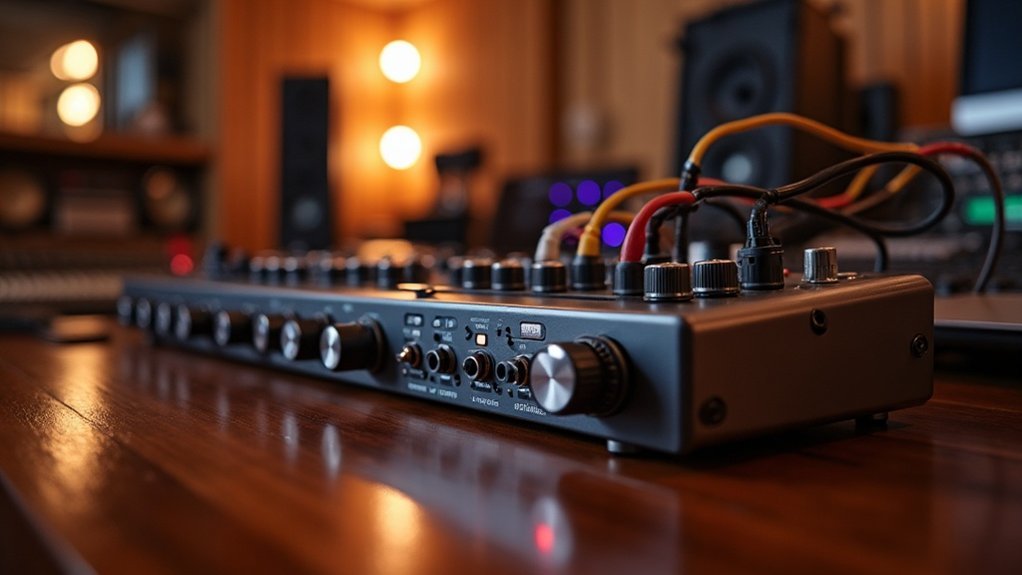
An audio interface works by converting analog signals from microphones and instruments into high-quality digital formats through analog-to-digital conversion. This essential component in audio production guarantees minimal latency, providing seamless synchronization with your DAW. With built-in preamps, it amplifies weak signals while preserving clarity and reducing noise, which is crucial for achieving professional sound quality. Additionally, the audio interface transforms digital audio back to analog for playback, maintaining fidelity throughout the process.
Understanding how an audio interface works is vital for creators, gamers, musicians, and professionals alike. It not only enhances your recording experience but also ensures that your audio quality meets industry standards. There’s much more to explore about optimizing your recording setup, including choosing the right audio interface to suit your needs.
Key Takeaways
- An audio interface converts analog signals to digital and vice versa, enabling high-quality audio recording and playback.
- It minimizes latency, allowing for real-time monitoring and better synchronization with digital audio workstations (DAWs).
- Preamps amplify weak signals while preserving integrity, shaping tonal character for various microphones and instruments.
- Key features include multiple I/O channels, dynamic range, and sample rates that enhance audio quality and versatility.
- Choosing the right interface depends on budget, input needs, portability, and connectivity options for future expandability.
Why You Need an Audio Interface for Quality Sound
When diving into audio production, you’ll quickly realize that relying on your computer’s built-in sound card just won’t cut it. For true sound clarity and recording fidelity, you need professional equipment like an audio interface.
An audio interface is essential for quality sound, as these devices excel at capturing clean, accurate signals while providing high bit rates and sample depths that significantly enhance audio quality. An audio interface acts as a bridge between real-world sound and a computer, ensuring that every nuance of your performance is captured. Additionally, audio interfaces provide high-quality recording through converters and preamps, which boost weak electrical signals from microphones and instruments. Furthermore, audio interfaces facilitate better synchronization with digital audio workstations (DAWs) by minimizing latency.
An audio interface is vital for achieving pristine sound, capturing accurate signals with high bit rates and sample depths that elevate audio quality.
With superior preamps and low noise floors, audio interfaces preserve detail and reduce distortion. They also enable proper connectivity for studio mics and instruments, ensuring balanced signals.
Investing in an audio interface transforms your recordings, elevating them to professional standards that resonate with listeners and underscore the need for quality sound in your projects.
Whether you’re a creator, gamer, or musician, having the right audio interface is crucial for achieving the best results in your recordings.
How Does Analog-to-Digital Conversion Work?
Sure! Here’s your revised content:
—
An audio interface captures sound in a format your computer can process, which involves a key process known as how does analog-to-digital conversion work.
This vital transformation changes analog signals into digital signals through sampling and quantization. The sampling rates dictate how often you measure the signal, while anti-aliasing filters prevent higher frequencies from distorting the output. Analog-to-Digital Conversion is essential in the transition from analog signal processing to modern voice communication technologies. Additionally, the sampling frequency plays a critical role in accurately representing the original audio signal. Furthermore, microphones often rely on phantom power to function effectively during recording sessions.
Signal conditioning optimizes the input for better resolution impact and dynamic range. During quantization, the sampled amplitudes are mapped to discrete levels, introducing quantization error that can affect audio quality.
Understanding how analog-to-digital conversion works is crucial, as higher resolution reduces this error, ensuring a more accurate digital representation of the original sound.
For creators, gamers, and musicians, mastering this process can greatly enhance their audio experiences.
The Role of Audio Interfaces in Digital-to-Analog Conversion
While many may overlook its importance, the role of audio interfaces in digital-to-analog conversion**** (DAC) is crucial. This device transforms digital audio signals from your computer into analog outputs for speakers or headphones.
The audio interface’s role in DAC performance and signal quality directly impacts playback accuracy and sound fidelity. As the final hardware stage in your studio workflow, the interface reconstructs digital data into an analog waveform, enhancing monitoring efficiency. Conversion quality is vital, as it ensures that the nuances of the original recording are faithfully preserved during playback. A well-designed audio interface often utilizes high-quality preamps to boost weak signals, further enhancing the overall audio experience.
High-quality conversion minimizes artifacts, ensuring accurate audio reproduction. By bridging the digital and analog domains, the audio interface becomes indispensable for achieving the clarity and detail necessary in professional audio production.
Understanding the importance of audio interfaces in DAC is essential for creators, gamers, and musicians who seek to elevate their sound experience.
The Importance of Preamps in Audio Quality
Preamps play a pivotal role in determining audio quality, serving as the initial amplification stage for weak microphone or instrument signals. Their importance lies in boosting these signals to line level while preserving signal integrity, ensuring minimal noise and distortion. A well-designed preamp can also incorporate advanced circuitry that further enhances performance and reduces unwanted artifacts.
In the context of the importance of preamps in audio quality, a typical gain range of 20–60 dB enables high-quality preamps to enhance the signal-to-noise ratio, preventing excessive digital amplification that could raise the noise floor. Additionally, preamps shape tonal character, offering either transparency or coloration based on their design. A well-designed preamp preserves musical detail and ensures that the emotional connection to the music is maintained. Moreover, using high-quality preamps ensures a cleaner signal foundation that significantly improves the overall sound chain.
Ultimately, the importance of preamps in audio quality establishes the baseline quality for all subsequent processing, making careful selection essential for achieving superior recording and mixing outcomes.
How Latency Affects Your Recording Quality?
As you navigate the recording process, understanding how latency affects your recording quality** becomes essential. Latency can significantly impact your groove consistency and timing accuracy**; even small delays can lead to timing errors that compromise your performance.
When latency exceeds 10 ms, you may feel less confident, facing monitoring challenges that disrupt your flow. This disconnect increases cognitive load, making it harder to maintain pitch and rhythm. Moreover, phase alignment issues can arise, degrading the overall tightness of your recordings. To achieve the best results, aim for round-trip latency below 10 ms. This ensures your recordings feel tight and natural, ultimately enhancing both the performance and the overall sound quality. Additionally, buffer size plays a crucial role in managing latency effectively, allowing for smoother operation during recording sessions.
When latency surpasses 10 ms, it disrupts your flow and increases cognitive load, complicating pitch and rhythm maintenance.
Understanding the nuances of latency and its effects will help you make informed decisions about your recording setup, ensuring you get the most out of your equipment for optimal recording quality. Additionally, input latency is particularly crucial for musicians who rely on real-time monitoring to stay in sync.
What I/O Channels Mean for Your Setup?
Understanding how latency impacts your recording quality sets the stage for grasping what I/O channels mean for your setup.
I/O configurations determine your system’s signal flow, dictating how many input types and output options you can use simultaneously. A higher channel count facilitates complex multi-channel setups, allowing you to track multiple sources without submixing.
When considering what I/O channels mean for your setup, effective channel routing via your DAW guarantees that audio signals move seamlessly between tracks and monitoring paths.
By selecting the right connection types, you can optimize your interface’s capabilities, whether you’re recording a band or setting up a podcast, enhancing your overall production workflow. Additionally, understanding how a USB audio interface functions within your system can further clarify the importance of I/O channels.
Understanding the implications of I/O channels can significantly elevate your audio projects, ensuring you make the most of your equipment.
Key Features to Look for in Your Audio Interface
When choosing an audio interface, it’s essential to consider key features to look for in your audio interface that can significantly influence your recording experience. Focus on these critical aspects:
- Gain Range: Ensure it supports 55–65 dB for dynamic and ribbon microphones while minimizing preamp noise.
- Dynamic Range: Aim for converters in the 110–120 dB range, which are vital for capturing detailed audio.
- Sample Rates: Select options with 24-bit resolution at 48–192 kHz for enhanced editing precision.
- Connectivity Options: Assess USB, USB-C, or Thunderbolt connections for optimal driver stability and compatibility with your setup.
Additionally, prioritize build quality and monitoring features, as these are essential key features to look for in your audio interface that enhance both workflow and durability in any environment. Understanding the role of preamps in audio interfaces can also help you make a more informed choice.
Choosing the Right Audio Interface for Your Needs
How do you determine the right audio interface for your needs?
When choosing the right audio interface for your needs, start with budget considerations: interfaces under $100 suit basic tasks, while those in the $150–$300 range offer enhanced features for serious work.
Assess your input requirements; solo creators typically need 1–2 inputs, whereas bands may require more to capture all instruments.
Portability is another key factor; if you’re often on the go, bus-powered USB interfaces are ideal for mobile recording.
Connectivity options also matter—USB is versatile, but opting for Thunderbolt can provide lower latency for professional applications.
Finally, think about future expandability; select an interface that allows for additional inputs or outputs as your workflow evolves.