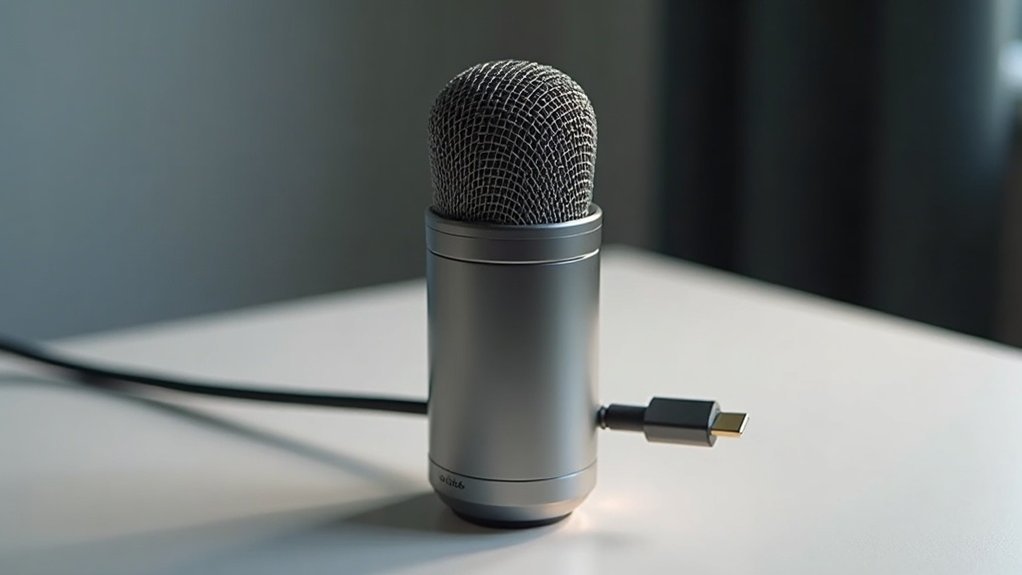
A USB C microphone connects directly to your device’s USB-C port, transmitting digital audio without requiring external audio interfaces or drivers. This USB-C mic technology features a built-in analog-to-digital converter that captures professional-grade sound instantly through plug-and-play functionality, making it an ideal choice for creators and professionals seeking affordable recording solutions. You’ll find condenser, dynamic, or MEMS-based designs in compact formats ideal for mobile recording and content creation.
Compatible with smartphones, tablets, and laptops, USB C microphones deliver superior clarity for podcasting, streaming, gaming, and remote work. Whether you’re building your first streaming setup or upgrading your podcast equipment, a quality USB-C microphone eliminates the need for costly audio interfaces while maintaining broadcast-quality sound.
Understanding which USB C mic model suits your specific needs involves evaluating capsule type, polar pattern, and audio specifications tailored to your use case. Consider factors like sensitivity, frequency response, and noise rejection when comparing USB-C microphone options. For gamers, musicians, and remote workers, these plug-and-play devices offer the clarity and convenience needed to produce professional content without complex setup requirements. Investing in the right USB C microphone puts you on the path toward better sound quality and more polished recordings across all your creative projects.
Key Takeaways
- USB-C microphones connect directly to devices via USB-C ports, transmitting digital audio without requiring external audio interfaces or drivers.
- Built-in analog-to-digital converters enable plug-and-play functionality across smartphones, tablets, and laptops with automatic or minimal setup required.
- USB-C offers superior power delivery and bandwidth compared to USB-A, supporting higher sample rates and better recording quality.
- Available in condenser, dynamic, or MEMS designs with compact forms ideal for mobile recording, podcasting, streaming, and remote work.
- Compatibility varies by device—macOS recognizes them automatically, while Windows may require manual selection as the input device.
What Is a USB-C Microphone and How Does It Work?
A USB-C microphone is a straightforward device: it’s a microphone that connects directly to your phone, tablet, or laptop through a USB-C port and transmits digital audio over that single connection.
Understanding what a USB-C microphone is and how it works is essential for creators, gamers, musicians, and professionals seeking affordable recording solutions.
You’ll find condenser, dynamic, or MEMS-based microphone types depending on your model. The built-in analog-to-digital converter transforms acoustic signals into digital data internally, eliminating external audio interfaces. USB-C microphones are increasingly common in modern devices and offer seamless compatibility across smartphones, tablets, and laptops. The reversible design of the USB Type-C connector ensures more durable connections compared to traditional USB types.
This design delivers superior recording clarity and sound quality while simplifying your user experience—no drivers required on most systems. USB-C microphones utilize plug-and-play recording technology that eliminates the need for complex software installation.
How USB-C microphones work is remarkably efficient: you get plug-and-play functionality with automatic device recognition, making digital transmission seamless across compatible platforms.
Whether you’re podcasting, streaming, gaming, or recording music, a USB-C microphone offers the convenience and quality needed for professional-grade content without additional hardware investment.
The straightforward nature of USB-C microphone connectivity makes setup immediate and hassle-free, allowing you to focus on creating rather than troubleshooting technical configurations.
USB-C vs. XLR and USB-A: Why the Connector Matters
Understanding the critical differences in USB-C vs. XLR and USB-A** connectors directly impacts your microphone selection and workflow efficiency. When evaluating USB-C versus XLR and USB-A options, you’re essentially choosing between connector types that fundamentally shape your recording setup**’s signal path and architecture.
USB-C vs. XLR and USB-A presents distinct advantages across different use cases. USB-C connectors deliver superior power delivery and bandwidth, enabling higher sample rates and seamless direct mobile compatibility—essential for creators and streamers working across multiple devices.
USB-A limitations stem from lower throughput and power constraints that can bottleneck your recording quality. XLR connectors shine in professional studio environments, supporting external preamps and multi-mic setups through balanced signal transport that scales effortlessly as your production needs grow. Unlike USB solutions, XLR setups allow modular upgrades of individual components such as cables and audio interfaces to enhance your recording chain over time.
The comparison between USB-C, XLR, and USB-A reveals that while audio quality between comparable USB and XLR designs proves indistinguishable in blind tests, device compatibility and connection architecture determine your actual workflow. RØDE’s specialty cables like the SC17 and SC18 further extend USB-C connectivity options for professionals integrating multiple devices into their recording ecosystem.
For podcasters, gamers, and musicians prioritizing convenience, USB-C microphones streamline integration across laptops, tablets, and phones. For professionals and musicians building scalable setups, XLR demands audio interfaces but offers flexibility that USB solutions can’t match.
Your choice between these connector types—USB-C vs. XLR and USB-A—ultimately hinges on whether you prioritize portability and direct device connection or professional-grade expandability and balanced audio paths. Each connector type serves different creators at different budget levels and workflow stages.
Best Use Cases: When a USB-C Mic Is the Right Choice
Four primary scenarios define where USB-C microphones excel: streaming and live content creation, podcasting and spoken-word production, mobile and on-the-go recording, and remote work environments.
When a USB-C mic is the right choice for streamers, you’ll appreciate their real-time performance and noise rejection in streaming setups, where cardioid patterns isolate your voice from room reflections. Models like the HyperX QuadCast S deliver 24-bit / 48kHz USB-C recording with tap-to-mute functionality, making them ideal for Twitch and YouTube Live broadcasts.
USB-C mics are the right choice for content creators prioritizing professional audio without breaking the bank. A USB microphone provides superior audio quality compared to built-in computer microphones, making it a practical upgrade for creators on a budget.
Their compact design and mobile convenience make them ideal for field recording on smartphones and tablets without unreliable adapters—a critical advantage when choosing the right USB-C mic for on-location work. The digital audio conversion integrated into USB-C microphones eliminates the need for external audio interfaces, streamlining your mobile recording workflow.
For podcast clarity, you’ll benefit from dynamic range and plug-and-play connectivity that accelerates production workflows, especially when you need the right USB-C microphone choice for quick setup and consistent performance. Dynamic capsules with 24-bit / 48kHz sampling provide broadcast-quality audio suitable for professional podcast distribution platforms.
USB-C’s versatile applications span console gaming, interviews, and video conferencing, establishing it as the connector for creators demanding professional audio across multiple platforms.
Whether you’re a gamer optimizing your streaming setup, a musician recording demos, or a professional in remote meetings, understanding when a USB-C mic is the right choice ensures you invest in the affordable microphone solution that matches your specific needs and recording environment.
Will Your Device Recognize It? Compatibility Across Windows, Mac, iOS, and Android
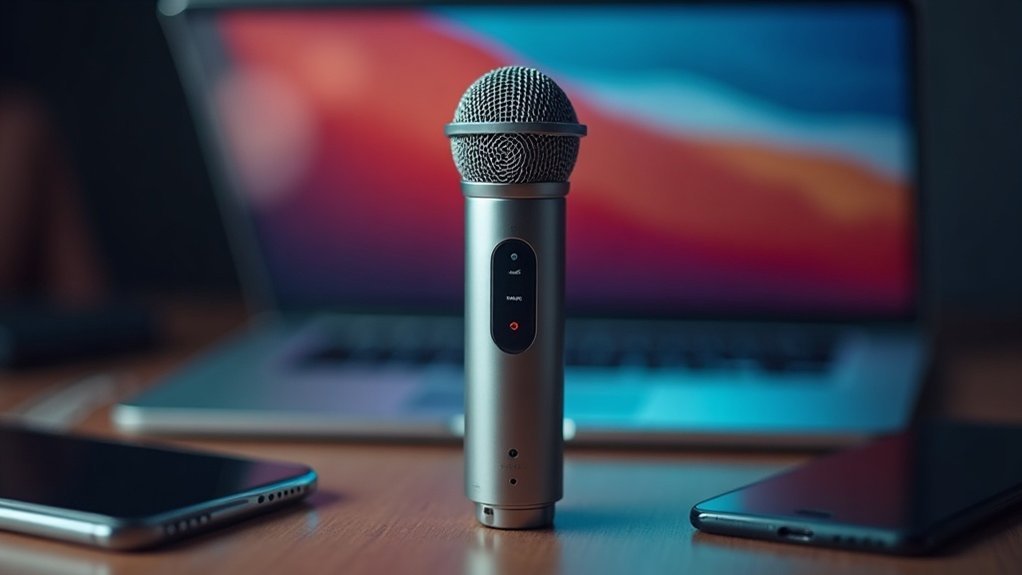
You’ll find that Windows often requires you to manually select your USB-C microphone as the input device despite driver-free enumeration, while Mac typically handles automatic recognition without needing adapters or additional software.
Mobile compatibility diverges considerably: iOS devices (iPhone 15+) and most Android phones with USB-C ports recognize microphones directly, but Android’s USB Audio support varies by manufacturer, and older iOS devices won’t accept USB-C mics without MFi certification.
Power delivery and app-level settings matter across all platforms—your device may detect the microphone at the OS level but still need configuration within your recording or conferencing software. The 48KHz/24-bit ADC built into the MLC-15 ensures that once your device recognizes the microphone, you’ll receive high-fidelity audio capture without requiring external power supplies. The MV88’s plug-and-play functionality eliminates the need for driver installation on most compatible devices, streamlining your setup process across different operating systems. USB microphones are designed specifically for direct device connection, which is why understanding recording device compatibility helps you avoid purchasing equipment that won’t work with your existing setup.
Windows Driver Requirements
Most USB-C microphones that adhere to the USB Audio Class (UAC1/UAC2) standard don’t require separate driver downloads on Windows 10 and 11—they’re recognized immediately as plug-and-play devices through built-in class drivers. You’ll find your mic listed under “Sound, video and game controllers” in Device Manager without warning icons. A USB audio interface serves as the bridge between your microphone and computer, handling the conversion of analog signals to digital data that your system can process.
For creators, gamers, and streamers setting up USB-C microphones on Windows, understanding Windows driver requirements ensures seamless integration with your recording or streaming setup. If recognition fails, verify audio settings designate your USB mic as default input, check Device Manager for driver updates, disable USB selective suspend in power management settings, and use troubleshooting techniques like uninstalling and rescanning hardware. Avoiding passive USB hubs will help maintain a stable connection during extended recording sessions.
When evaluating Windows driver requirements for USB-C microphones, remember that most affordable options for podcasting and gaming already meet Windows compatibility standards. For microphones requiring advanced functionality, you can download drivers from the manufacturer’s official website to unlock proprietary features. Legacy specialty mics may need proprietary drivers for advanced features only—a consideration when comparing microphones across different price points.
| Issue | Solution |
|---|---|
| Mic not detected | Rescan hardware; update USB controller drivers |
| Unknown device | Reinstall audio device in Device Manager |
| Intermittent connection | Disable USB selective suspend |
| Not set as default | Configure in Windows audio settings |
Addressing Windows driver requirements upfront eliminates common setup frustrations, allowing podcasters, musicians, and professionals to focus on content creation rather than technical troubleshooting.
Mac’s Plug-And-Play Support
Because USB Audio Class compliance is the standard for modern USB-C microphones, macOS automatically recognizes your device the moment you connect it—no separate driver installation needed. This plug-and-play support means your microphone setup becomes seamless:
- macOS instantly lists your USB-C microphone in System Settings → Sound → Input by product name.
- You’ll adjust input levels and gain through built-in meters, ensuring excellent audio quality.
- Select your microphone within recording applications like GarageBand or Zoom for proper routing.
After physical connection, macOS prompts you to allow the accessory. Once approved, your device appears ready for use thanks to this native plug-and-play capability.
Your USB-C microphone functions as an audio interface that converts analog sound into digital signals your Mac can process and record.
Test your audio quality briefly before critical recordings to confirm clear capture and eliminate potential hum or static issues.
For creators, musicians, and content producers, this plug-and-play support eliminates common setup friction.
Whether you’re podcasting, streaming, or recording professional audio, your USB-C microphone’s automatic recognition means you can focus on capturing great sound rather than troubleshooting drivers.
This streamlined plug-and-play experience is especially valuable for gamers and professionals who need reliable, immediate functionality without technical complications.
Mobile OS Compatibility Issues
When addressing mobile OS compatibility issues with USB-C microphones, macOS delivers seamless plug-and-play recognition, while Windows, iOS, Android, and iPadOS present variable support depending on USB Audio Class (UAC) compliance, OS version, and hardware capabilities.
For creators and streamers relying on mobile setups, understanding these mobile OS compatibility issues becomes essential for uninterrupted recording.
Android devices below Android 8.0 often lack USB host mode or UAC support, creating significant limitations for mobile podcasters and gamers.
iOS support requires USB-C iPhones or iPadOS tablets; Lightning devices demand MFi certification—a critical consideration when evaluating affordable microphones for iOS-based creators.
Windows systems pre-10 require manufacturer-specific drivers, complicating setups for professionals working across older hardware.
Recognition problems frequently stem from firmware inconsistencies, device restrictions, and manufacturer tuning differences.
Unlike XLR microphones, USB-C microphones depend heavily on operating system recognition protocols, making driver support and UAC compliance essential for cross-platform functionality.
These mobile OS compatibility issues particularly affect musicians and streamers switching between platforms.
Driver inconsistencies continue plaguing older platforms, making compatibility testing essential before purchase.
Mobile microphone compatibility ultimately depends on firmware updates and strict UAC compliance, making your specific device’s capabilities and OS version critical factors for successful operation across your recording workflow.
What to Look For When Choosing a USB-C Microphone
Selecting the right USB-C microphone requires evaluating several interconnected technical factors that directly impact recording quality and workflow efficiency.
When choosing a USB-C microphone, prioritize features aligned with your recording environments—cardioid patterns for focused voice capture, dynamic capsules for untreated rooms, condenser types for treated spaces. Condenser microphones are particularly effective in acoustically treated environments where they can capture nuanced audio details.
Evaluate audio quality through 48 kHz/24-bit minimum standards and preamp integrity.
Audio quality hinges on 48 kHz/24-bit minimums and robust preamp integrity for reliable recording performance.
What to look for when choosing a USB-C microphone extends beyond basic specifications; consider portability options, brand reputation via user reviews, design aesthetics matching your setup, and price range balancing features against budget.
Whether you’re a creator, gamer, musician, or professional, verify platform compatibility across your devices.
When evaluating USB-C microphone options, assess these elements together:
1) Capsule type and polar pattern matching your space,
2) Audio specifications and monitoring capabilities,
3) Build quality and connector durability.
The guide to choosing a USB-C microphone should account for your specific use case—podcast recording, streaming, gaming, or professional voiceover work—ensuring your selection delivers honest performance for your budget tier.
Recommended Models by Use Case: Podcasting, Streaming, Mobile, and Music
The right USB-C microphone for podcasting, streaming, mobile, and music depends entirely on your recording environment and content format, making it essential to match specific models to their intended applications.
For podcasting tips, the Shure MV7+ and Rode PodMic USB deliver broadcast-quality dynamics with integrated DSP—essential considerations when selecting recommended models by use case.
Streaming setups benefit from the SteelSeries Alias‘s gaming-focused design and RGB integration, making it one of the top recommended models by use case for content creators. Understanding microphone types for streaming helps you identify which design best fits your content creation style and audience engagement goals.
Mobile recording demands compact solutions like the Rode Videomic Me-C+ for directional capture on smartphones, perfectly suited to those prioritizing podcasting, streaming, mobile, and music applications.
Musicians and professionals will find that recommended models by use case guidance helps identify equipment optimized for their specific needs.
While these categories overlap, prioritizing your primary use case—whether podcasting, streaming, mobile recording, or music production—ensures you’ll select equipment that maximizes your content’s professional impact and technical performance across your chosen platforms, transforming your setup into a professional-grade recording solution without breaking the budget.