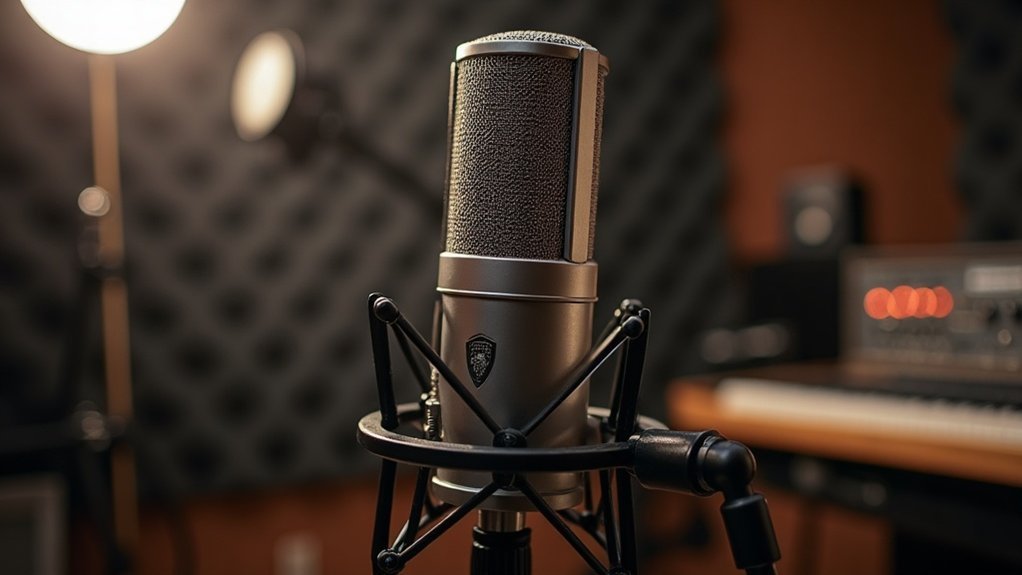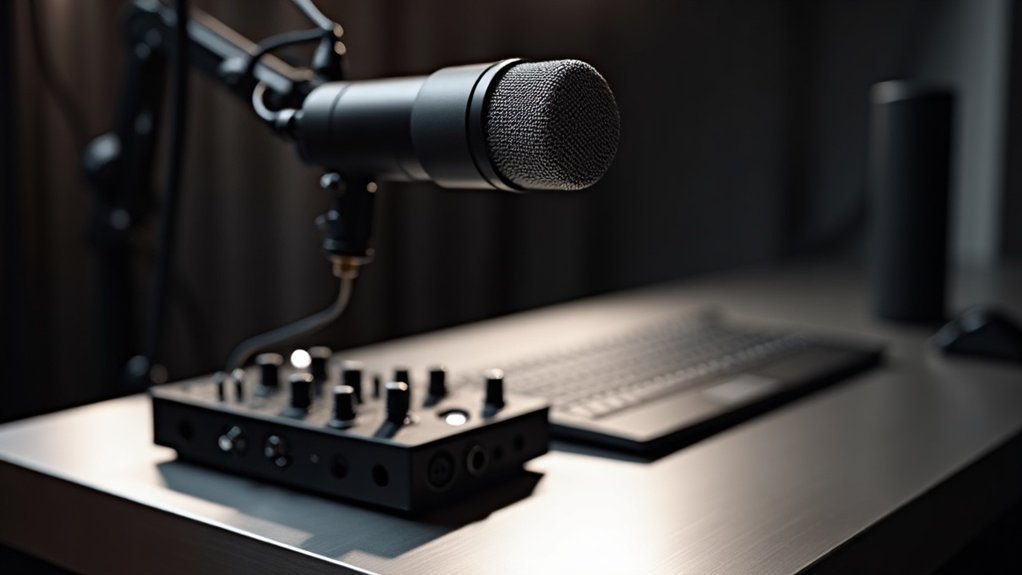
You can’t connect an XLR microphone directly to your computer—it won’t work. Using an XLR microphone without an audio interface** requires an intermediary device that converts the analog signal into digital format. Your options include XLR-to-USB adapters (like the Shure X2u), USB mixers**, or portable recorders.
Can you use an XLR microphone without an audio interface? The short answer is yes, but not directly to your computer. Budget adapters often fail in this role because they lack proper preamplifiers and phantom power, resulting in signal degradation or distorted audio. If you’re looking to set up XLR microphones without audio interfaces, higher-quality adapters and USB mixers deliver superior conversion and reliability.
For streamers and podcasters, understanding how to use an XLR microphone without an audio interface is essential when budget is tight. Whether you’re gaming, streaming, or recording podcasts, choosing the right solution depends on your microphone type, setup complexity, and sound quality requirements. Quality USB mixers and adapters bridge the gap between professional XLR microphones and your computer, ensuring you can capture clean audio without investing in a dedicated interface.
Key Takeaways
- XLR microphones cannot connect directly to computers; they require analog-to-digital conversion equipment.
- XLR-to-USB adapters like the Shure X2u provide a workaround with built-in preamps for direct connection.
- USB mixers offer an alternative solution with expanded routing control for multiple audio inputs simultaneously.
- Portable recorders like the Zoom H6 enable standalone recording without requiring a computer connection.
- Quality matters significantly—budget adapters lack proper preamps and phantom power, risking signal degradation and distortion.
Can You Use XLR Mics on a Computer? The Short Answer
Can you plug an XLR microphone directly into your computer? No. XLR mics output analog signals that your computer can’t process without proper audio conversion.
To use XLR mics on a computer, you’ll need an audio interface or USB mixer to bridge that gap—these devices handle the essential analog-to-digital conversion your system requires. Standard computer inputs simply aren’t designed for raw XLR signals.
For creators, gamers, and musicians looking to use XLR mics on computers, understanding this requirement is crucial for any recording setup. Whether you’re podcasting, streaming, or producing music, using XLR mics on a computer requires this intermediate step. Unlike USB microphones, XLR mics cannot connect directly to your computer without conversion equipment.
Once you’ve connected your XLR mic to an interface via USB, your computer recognizes it as an audio input device. This setup guarantees XLR compatibility and reliable signal flow into your recording software, making it the industry standard for professional audio work. Most quality audio interfaces include free software packages that provide additional plugins and tools to enhance your recordings. Modern interfaces also offer DSP capabilities that enable advanced audio control directly at the hardware level.
If you’re new to using XLR mics with computers, the good news is that affordable audio interfaces make this process straightforward.
Can you use XLR mics on a computer without an interface? The short answer remains no—but with the right gear, you’ll have everything needed for professional-quality podcasting, streaming, gaming, and recording.
Your Workaround Options: Adapters, Mixers, and Preamps
XLR-to-USB adapters like the Shure X2u bridge your microphone directly to your computer with adapter compatibility and built-in preamps—making them one of the most accessible adapter solutions for affordable microphone setups. For condenser microphones specifically, these adapters include a 48V phantom power switch to enable the necessary power supply.
USB mixers offer expanded routing control when you need multiple inputs, serving as hybrid mixer and preamp combinations for creators scaling their streaming or recording rigs. A USB audio interface integrates these mixer functions directly into your computer connection for seamless digital audio management.
Portable recorders such as the Zoom H6 provide standalone recording capability without requiring a computer connection. These devices often include advanced features that enhance flexibility in various recording scenarios.
Each solution—whether you’re choosing adapter options, mixer functionality, or standalone preamp units—handles preamplification and analog-to-digital conversion, essentials for signal clarity whether you’re podcasting, streaming, gaming, or recording music.
Evaluate your specific workflow: simple streaming or gaming sessions favor adapters and preamps for their plug-and-play simplicity, while complex setups benefit from mixer flexibility for managing multiple microphones and sources.
Choose based on your immediate needs and growth plans, keeping in mind that these workaround options for adapters, mixers, and preamps can serve as stepping stones toward a full audio interface investment down the road.
Dynamic vs. Condenser: Which Mic Type Adapts Easiest?
Consider these factors:
- Power independence – dynamics work anywhere; condensers demand 48V phantom power
- Noise rejection – dynamics excel in untreated recording environments, making the dynamic vs. condenser choice clear for beginners
- Preamp requirements – condensers need clean gain; dynamics tolerate basic amplification
- Portability considerations – dynamics suit ad hoc streaming and podcasting for creators on the move
Condenser mic challenges emerge quickly without infrastructure. When comparing dynamic versus condenser options, their superior sound quality differences matter less when environmental noise overwhelms your signal. Dynamic microphones like the XDM-100 are specifically engineered with lower sensitivity to help isolate voice and reject background noise in these compromised recording situations. Additionally, dynamic capsules can handle extreme sound pressure levels without distortion, making them exceptionally reliable for unpredictable recording environments. Unlike condensers, which rely on capacitor-based designs for their sensitivity, dynamic microphone construction uses a moving coil that naturally provides greater durability in demanding conditions.
Condenser mic challenges surface fast without proper infrastructure—environmental noise often overwhelms superior sound quality advantages.
For creators, gamers, and podcasters assessing application suitability without an interface, dynamic microphones deliver practical, reliable performance in the dynamic vs. condenser debate.
The dynamic versus condenser decision ultimately comes down to your specific use case. For streamers, podcasters, and musicians recording without professional equipment, understanding which mic type adapts easiest—dynamic or condenser—ensures you invest in the right tool for your budget and setup.
XLR-to-USB Adapters: Why Cheap Ones Fail
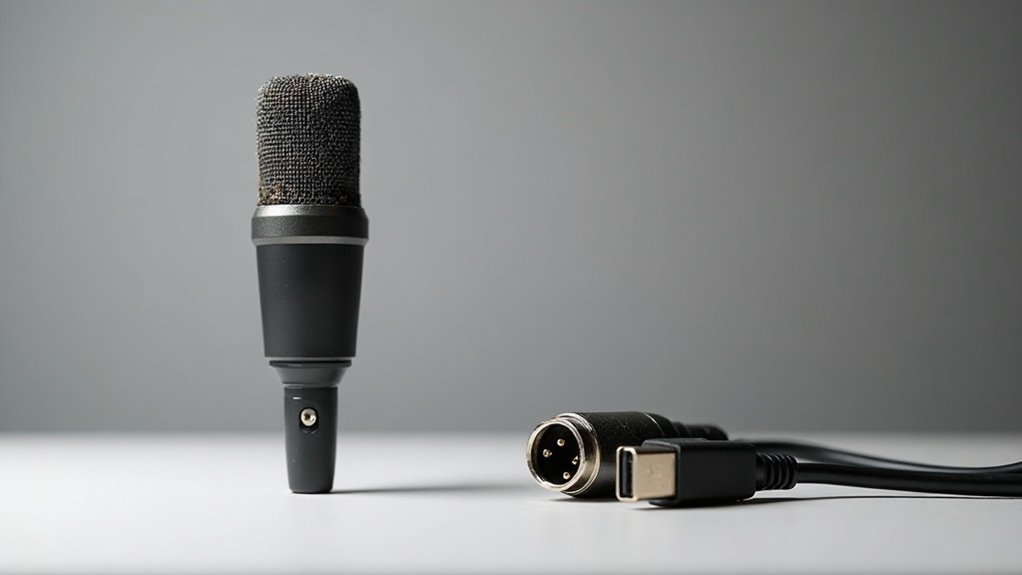
Budget XLR-to-USB adapters create more problems than they solve, and understanding why cheap ones fail is essential before making your purchase. These devices often lack proper preamplifiers, causing signal degradation before reaching your computer. Without adequate power supply for phantom power, condenser microphones won’t function correctly. Poor shielding introduces unwanted noise and hum, while cheap connectors fail intermittently. Weak contacts in budget connectors lead to intermittent losses that compromise audio reliability during recording sessions.
The reasons cheap XLR-to-USB adapters fail consistently reveal fundamental design flaws:
| Issue | Impact | Solution |
|---|---|---|
| Missing preamp | Low volume, background noise | Dedicated interface |
| Insufficient phantom power | Silent or distorted audio | Active adapter with regulation |
| Poor shielding | Electrical interference | Quality construction |
| Weak connectors | Intermittent disconnections | Professional-grade equipment |
For creators, streamers, and podcasters working with budget microphones, discovering why cheap ones fail matters significantly. An affordable microphone deserves better than a failing adapter that undermines your audio quality. Condenser microphones specifically require phantom power, a DC voltage sent through the XLR cable to energize their internal components and enable proper signal transmission. The inconsistent performance of budget adapters means connection failures may occur unexpectedly during critical recording moments. Rather than pairing your setup with an XLR-to-USB adapter prone to failure, invest in a proper audio interface that supports your equipment reliably. This approach protects your streaming, gaming, and recording investments while ensuring consistent performance across every stage of your content creation journey.
USB Mixers and Preamps: The Middle Ground
If you’re working with multiple microphones or need better sound quality than cheap adapters provide, you’ll want to evaluate whether a USB mixer fits your needs.
You’ll gain built-in preamps that properly amplify low-level signals, phantom power for condenser mics, and onboard monitoring—but you’ll also accept a larger footprint and potentially higher cost than a simple cable solution. Our portable audio mixers feature ultra-low-noise, high-gain preamps that deliver professional-grade sound amplification for your setup. Understanding how preamps amplify signals in your signal chain helps you choose the right equipment for your recording needs.
The decision hinges on your microphone count, whether you’re using condensers or dynamics, and how much control you need over your mix before it reaches your computer. USB mixers also feature multitrack recording capabilities, allowing you to capture each audio source independently for greater flexibility during post-production editing and mixing.
When To Choose Mixers
Because many recording setups require hands-on control over multiple audio sources simultaneously, USB mixers have emerged as a practical bridge between basic analog mixers and standalone audio interfaces.
When to choose mixers becomes crucial for creators and professionals managing complex audio environments. You’ll find mixer benefits particularly valuable when you need:
- Real-time fader and EQ access for live streaming or podcasting
- Built-in phantom power supporting condenser microphones directly
- Multi-channel connectivity consolidating separate devices into one unit
- Recording versatility through onboard effects and multitrack capabilities
USB mixers eliminate cable clutter while delivering tactile control.
However, deciding when to choose mixers requires careful workflow consideration—they’re ideal for hands-on production but may prove excessive for simple single-microphone setups requiring minimal adjustment. An audio interface serves a similar purpose in many recording environments, though with different functionality and design philosophy.
Gamers and streamers typically benefit most from mixer selection, while musicians recording vocals or instruments often find the direct connectivity invaluable.
Choosing the right mixer for your specific use case—whether podcasting, gaming, or professional recording—ensures you invest in equipment that genuinely enhances your setup rather than adding unnecessary complexity.
Preamp Advantages And Tradeoffs
While XLR microphones deliver low-level analog signals that require amplification before a computer can process them, standalone audio interfaces aren’t your only path forward. USB preamps bridge this gap, combining gain staging with digital conversion in one unit. Understanding preamp advantages and tradeoffs is essential when selecting the right amplification solution for your setup.
Your preamp selection directly impacts signal clarity and noise performance. Dedicated preamp circuitry delivers cleaner gain than basic built-in stages, reducing hiss in low-output setups—a critical advantage for podcasters and streamers working with budget microphones. However, integrated devices sacrifice modularity and future expansion compared to separate components. They’re ideal for single-microphone recording where simplicity matters, though full interfaces often provide superior audio-to-digital conversion and monitoring features.
The preamp advantages and tradeoffs comparison reveals distinct use cases. USB preamps excel when you prioritize cost-effectiveness and straightforward setup, making them attractive for creators just starting their recording journey. Conversely, exploring preamp tradeoffs shows that full interfaces demand higher investment but unlock extensive upgrade flexibility and superior noise performance for growing studios. XLR connectors utilize a three-pin design that ensures balanced audio transmission and professional-grade reliability for studio recordings.
| Feature | USB Preamp | Full Interface |
|---|---|---|
| Setup Complexity | Simple | Moderate |
| Upgrade Flexibility | Limited | Extensive |
| Noise Performance | Good | Superior |
| Cost | Lower | Higher |
For musicians, gamers, and professionals recording affordable microphone setups, weighing these preamp advantages against the inherent tradeoffs ensures you invest in equipment that matches your current needs while accounting for future growth.
Adapters vs. Audio Interfaces: Sound Quality Compared
When you’re choosing between an XLR-to-USB adapter and a dedicated audio interface, you’re really comparing two different signal chains—and that’s where adapters vs. audio interfaces reveal their most significant performance differences in sound quality.
- Adapter quality varies widely; cheaper models introduce noise and distortion, while better adapters approach interface performance, though true audio interfaces maintain consistent advantages in conversion accuracy.
- Conversion accuracy and preamp performance typically favor interfaces, which offer stronger gain staging and cleaner signal paths—a critical distinction when comparing adapters vs. audio interfaces for professional recording.
- Recording clarity improves noticeably with dedicated interfaces through superior converters and monitoring options, making the sound quality comparison between these two categories substantial for creators and musicians.
- Feature limitations on adapters—reduced phantom power consistency, minimal monitoring—constrain your user experience and signal integrity in ways that dedicated audio interfaces simply don’t.
At comparable price points, the differences between adapters versus audio interfaces become subtle, particularly when both fall into budget-friendly categories.
However, budget adapters often compromise where interfaces excel: headroom, noise floor, and post-production flexibility.
For streamers, podcasters, and musicians working on a budget, understanding these sound quality differences determines whether an adapter meets your needs or whether investing in an affordable audio interface delivers better long-term value.
What Should You Actually Buy?
You’ll find that budget-friendly adapters like the Shure X2U offer a quick entry point if you’ve already got an XLR mic.
Though you’ll sacrifice the gain staging precision and phantom power reliability that a dedicated audio interface provides.
If you’re building from scratch, a USB/XLR combo mic such as the Samson Q2U costs less upfront while preserving your upgrade flexibility without forcing you into adapter compromises.
Keep in mind that condenser microphones require phantom power to operate, so ensure your chosen solution can reliably deliver it.
Your choice depends on whether you’re retrofitting existing gear or prioritizing long-term expandability over immediate savings.
Budget-Friendly Adapter Options
The adapter market for XLR microphones splits into four distinct categories, each with different trade-offs in cost, functionality, and audio quality—making budget-friendly adapter options essential knowledge for creators on a tight budget.
- Passive cables (€15–€25) offer minimal signal loss but risk clipping on sensitive inputs.
- Resistor-based adapters like the Rode VXLR+ (~$20) suit self-powered condensers without phantom power supplies.
- Entry-level interfaces (Behringer UMC22, ~$50) deliver genuine gain control and monitoring capabilities.
- Active converters (€200–€220) handle RF-heavy environments with clean buffering.
Budget adapter reviews consistently reveal sound quality concerns with passive solutions. For reliable home recording, podcasting, and streaming setups, you’ll find that affordable interfaces outperform simple adapters by providing proper preamps and phantom power support when needed. Understanding the distinction between preamps and audio interfaces helps you make informed purchasing decisions that align with your specific recording requirements.
When evaluating budget-friendly adapters, prioritize those that balance cost savings with functionality—cheap adapter solutions may save money initially but often introduce noise or signal degradation that undermines your entire recording chain.
Podcasters, gamers, and musicians recording on a budget should recognize that inexpensive adapters represent a false economy. Instead, investing in an affordable interface eliminates the need for multiple adapters while delivering superior preamp quality and monitoring features that ensure professional-grade recordings without breaking the bank.
Professional Quality Setup Comparison
If you’re serious about recording XLR microphones, a professional quality setup comparison reveals that an audio interface isn’t optional—it’s the foundation that determines your entire signal chain’s quality.
When conducting a professional quality setup comparison, interface quality matters more than microphone brand differences once your mic’s already professional-grade. You’ll gain audio interface advantages like clean, low-noise preamps that preserve detail, especially with quieter dynamic and ribbon models requiring higher gain. Balanced outputs reduce interference for long cable runs. Direct monitoring minimizes latency during tracking. An audio interface serves as the critical bridge between your microphone and computer, converting analog signals into digital data that your recording software can process.
A thorough professional quality setup comparison considers microphone compatibility with your interface’s gain capabilities. For single-mic setups, compact two-input interfaces suffice, but your professional quality setup comparison should account for future growth.
As you expand your recording rig, prioritize preamp quality and expandability over chasing marginal microphone upgrades. This comparison of professional quality setups helps you invest in gear that scales with your needs—whether you’re podcasting, streaming, gaming, or recording music—rather than replacing interfaces as your demands increase.